PIXELHUE RESELLER • HRE

Pixelhue Presentation Switchers & Control Consoles

Powerful screen switching. Practical show experience.

Build your next video system with Pixelhue Q8, P80 and P20 switchers and U5 control consoles. HRE helps you select the right platform, configure the system and plan its deployment.


REQUEST A PIXELHUE QUOTE

Explore the lineup ↓

Pixelhue Q8 presentation switcher

Professional AV product sales, backed by real-world engineering.

Pixelhue

Choose the platform around your production.

From corporate general sessions and rental fleets to permanent multi-screen installations, HRE can help you connect sources, processing and displays into a practical workflow. Our hands-on experience with Pixelhue Q8, P80 and U5 equipment informs the advice we give before you purchase.

Explore our featured products below. All systems are quoted to match your application.

Pixelhue Q8

MODULAR SCREEN MANAGEMENT

Pixelhue Q8

Explore Q8 sales & configuration →

Configure a modular processing system for productions with substantial source counts and multiple destinations. HRE helps specify the chassis, input and output cards and control package around your show requirements.

  • Modular input and output configuration
  • Multi-screen layouts, layers and live transitions
  • PixelFlow software and U5 / U5 Pro control

Connector counts and simultaneous processing capacity are different. Final input, output and layer capacity depends on the installed cards, formats and operating mode.

ASK ABOUT Q8

Manufacturer details ↗

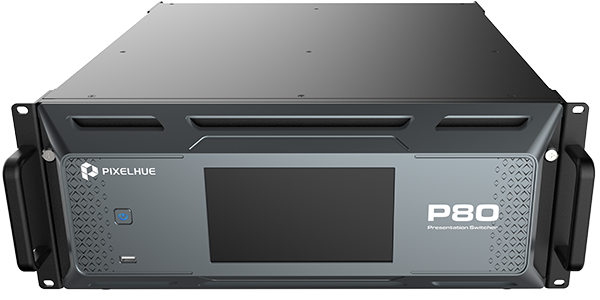
Pixelhue P80

MULTI-SCREEN PRESENTATION

Pixelhue P80

A presentation-switching platform for productions that need flexible source connections and several display destinations. Work with HRE to plan main screens, auxiliary feeds and operator monitoring.

  • HDMI, DisplayPort and 12G-SDI source connectivity
  • Main, flex and SDI matrix output functions
  • PixelFlow software and U5 / U5 Pro control

We confirm the input expansion, output mode and layer allocation needed for your specific screen layout.

ASK ABOUT P80

Manufacturer details ↗

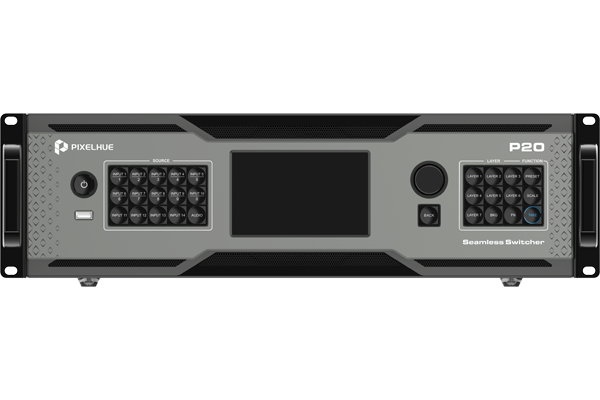
Pixelhue P20

COMPACT PRESENTATION SWITCHING

Pixelhue P20

A practical starting point for smaller and medium-sized event systems or permanent installations. HRE helps match your source list and screen layout to the appropriate P20 configuration.

  • 4K presentation and multi-screen workflows
  • Switcher and PGM-only operating modes
  • Front-panel, PixelFlow and U5 / U5 Pro control

P20 and P20-DS features differ. Tell us your audio, connection and output requirements so we can quote the correct model.

ASK ABOUT P20

Manufacturer details ↗

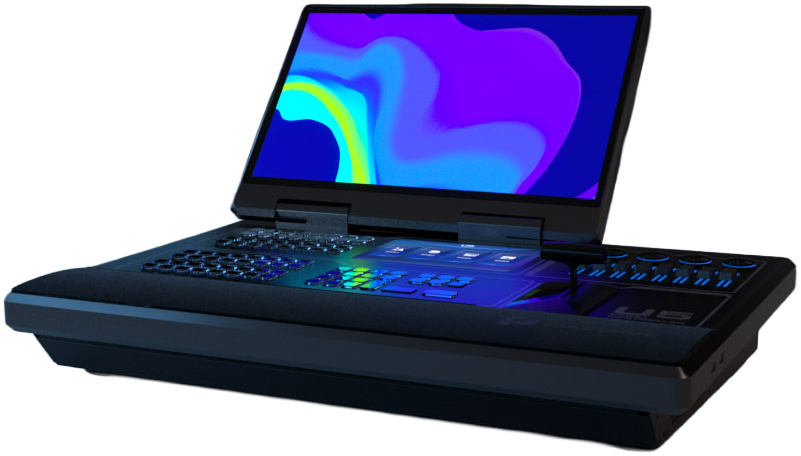
Pixelhue U5 consoles

HANDS-ON SHOW CONTROL

Pixelhue U5 consoles

Bring tactile control to your Pixelhue workflow. Discuss U5, U5 Pro and U5 Mini console options with HRE and choose an operator setup that fits your production.

  • Physical controls for live operation
  • Console selection matched to your workflow
  • System configuration and operator guidance

Console availability and compatibility with your switcher and software version are confirmed in your quote. U5 console pictured.

ASK ABOUT U5 CONSOLES

Manufacturer details ↗

Which Pixelhue system fits your project?

Your priority Start the conversation with What HRE will help check
Modular capacity for a complex production Q8 Card selection, concurrent sources, destinations and layer allocation
Flexible multi-screen presentation workflows P80 Main and flex outputs, source connections and input expansion
A focused event or installation system P20 Screen count, resolutions, audio requirements and model selection
Physical controls for your operator U5 consoles Console model, software compatibility and operating workflow

This is a starting guide. The right system depends on your actual sources, screen dimensions, video formats and production requirements.

WHY SOURCE THROUGH HRE?

Experience from the signal path to the show.

We use Pixelhue equipment in real production workflows. That experience helps us ask the right questions about system capacity, signal compatibility and how your team will operate the show.

Product selection & configuration

Choose the processor, cards, console and accessories that fit your application.

System-level planning

Work through signal flow, routing, displays, networking and backup requirements before placing the order.

Deployment & operator support

Discuss configuration, testing, training and onsite support as part of your project scope.

PIXELHUE SALES & SYSTEM PLANNING

Request your Pixelhue quote.

Select your Pixelhue product below and tell us about your project. The product quote buttons above select the model for you. Comparing options? Choose “Help me choose a Pixelhue system” and tell us what you need the system to do.

Name
HRE is the premier Distributor and Reseller of industry-leading technologies. How can we help?
For Pixelhue inquiries, select a product or ask us to help you choose.

A screen layout is a great place to start.

  • Screen sizes, pixel dimensions and destination count
  • Computers, cameras and media-server sources
  • Required connections, formats and audio workflow
  • Existing equipment you want to use
  • Purchase timeline and support needs

Pricing, configuration, availability and any engineering or training services are confirmed in your quote.

Explore all HRE product sales →