PIXELHUE SALES • HRE

Pixelhue Q8 Sales

A modular switcher. A system built around your show.

Buy a Pixelhue Q8 with the cards, control console and engineering support your production needs. HRE helps turn your source list and screen layout into a complete purchase configuration.

REQUEST A Q8 QUOTE

Explore configuration options ↓

Pixelhue Q8 modular presentation switcher

Professional AV product sales, backed by real-world engineering.

Product sales / Pixelhue / Q8

Plan the system before choosing the cards.

Q8 is worth considering when your production calls for a modular platform with many sources and several display destinations. Start with the screens and signals you need to manage. HRE can help work backward from that plan to the processor configuration.

Corporate events

Plan main screens, confidence monitors and supporting feeds around the presentation, cameras and playback systems.

Rental fleets & touring

Choose a card mix that fits recurring jobs, then discuss spare equipment, packaging and operator workflows.

Multi-screen installations

Coordinate display layouts, source connections and control requirements with the wider AV system.

Q8 capabilities at a glance

Manufacturer maximums below depend on the installed cards, signal formats and operating mode.

Up to48

Concurrent 4K inputs across six input cards.

Up to16

Concurrent 4K outputs across four output cards.

Up to32

4K mixing layers in switcher mode.

More connectors do not mean more independent channels. Shared connector groups and mirrored outputs affect how a card can be used. HRE checks the actual source and destination requirements before quoting.

More technical details
  • Card options include HDMI 2.0, DisplayPort 1.2 and 12G-SDI connections.
  • PixelFlow software and U5 / U5 Pro console control.
  • Two dedicated multiviewer connectors.
  • Single-screen and edge-blended widescreen layouts.
  • Input cropping, layer effects and cut/fade transitions.
  • Output width up to 8192 pixels, subject to timing limits.

View full manufacturer specifications ↗

CONFIGURATION & PURCHASING

What goes into a Q8 system?

A complete quote should identify more than the chassis. We help specify the processing hardware, connections and operating package together.

1. Chassis & card population

Define how many input and output positions your system needs. Include the appropriate motherboard and daughter-card components for each populated position in the final bill of materials.

2. Inputs & signal formats

List computers, cameras and media servers, including connector type, resolution, frame rate and how many sources must be available simultaneously.

3. Outputs & screen layout

Identify every independent destination and its pixel dimensions. Account for duplicated feeds separately from unique outputs and confirm the transport to each display processor.

4. Console & supporting equipment

Choose the control package and discuss monitoring, cabling, networking, backup equipment and any configuration or training services.

Example: a fully populated mixed-format Q8

  • One Q8 chassis
  • Six input motherboards with six HDMI 2.0 + DP 1.2 + 12G-SDI input daughter cards
  • Four output motherboards with four HDMI 2.0 + 12G-SDI + Fiber output daughter cards
  • U5 control console and supporting equipment quoted to suit the project

This is a configuration example, not a fixed package. HRE confirms the current component list, compatibility, pricing and availability in your quote.

CONFIGURE MY Q8

WHY BUY THROUGH HRE?

Advice grounded in real Q8 workflows.

Q8 is part of HRE’s own rental inventory. We bring that operating experience to purchase conversations, from understanding the show’s signal flow to planning how the system will be configured and supported.

Before the order

Review your screen layout, source list and existing equipment. Build a quote around the required workflow.

Before deployment

Discuss configuration, system drawings, testing and operator training as part of the project scope.

For the next show

Plan for changing requirements, supporting equipment and future fleet needs.

Resources & practical questions

Does every Q8 quote include a U5 console?

The console is specified as part of your chosen package. Tell us whether you need a new controller or intend to use existing equipment so we can confirm compatibility.

What should I send for an accurate quote?

A source list and screen layout are ideal. Include the number of systems, target purchase date, input/output formats and any support requirements. An early concept is enough to start the conversation.

Can I rent a Q8 for an upcoming production?

Yes. Visit our Pixelhue Q8 rental page for rental inquiries.

Explore related Pixelhue products

Compare another switcher or complete the operator setup.

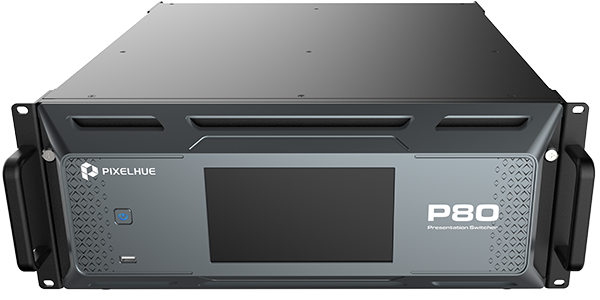
Pixelhue P80 presentation switcher

Pixelhue P80

Explore another multi-screen presentation platform.

Explore P80 →

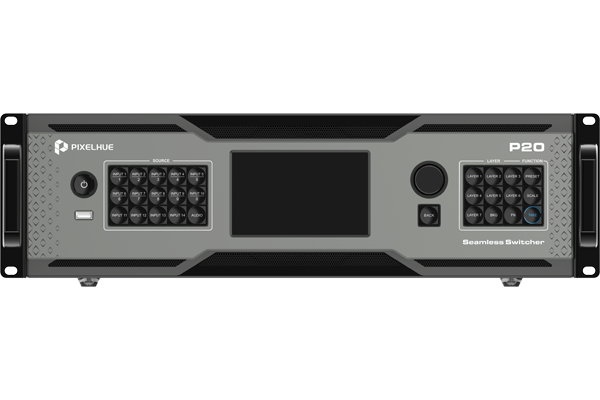
Pixelhue P20 presentation switcher

Pixelhue P20

Review options for a more focused event system.

Explore P20 →

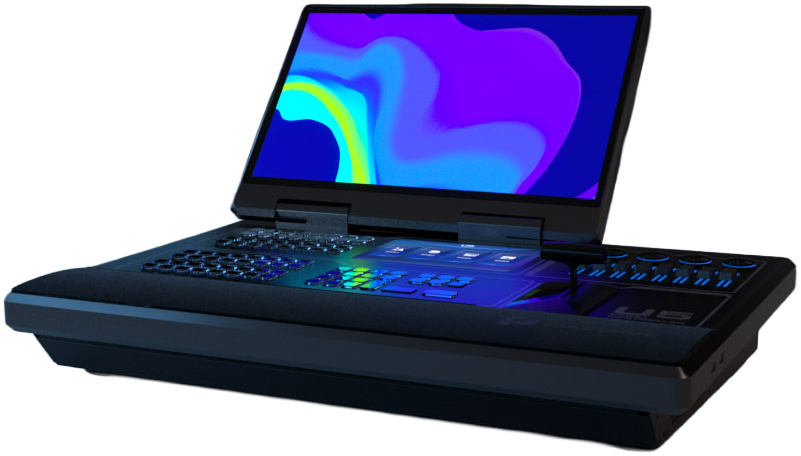
Pixelhue U5 control console

U5 consoles

Choose the control surface for your workflow.

Explore U5 consoles →

PIXELHUE Q8 SALES

Request your Q8 quote.

Pixelhue and Q8 are selected below. Tell us what you want to build and we’ll help define the right configuration.

Name
HRE is the premier Distributor and Reseller of industry-leading technologies. How can we help?
For Pixelhue inquiries, select a product or ask us to help you choose.

Help us scope your system

Please include these details in your message if you have them:

  • Quantity and target purchase date
  • Source count, connections and video formats
  • Screen dimensions and independent destinations
  • Preferred card configuration and console
  • Existing equipment and support needs

Not sure yet? Describe your typical production and we can work through the requirements with you.

Pricing, lead time and included services are confirmed in your quote.